Catch the thought.
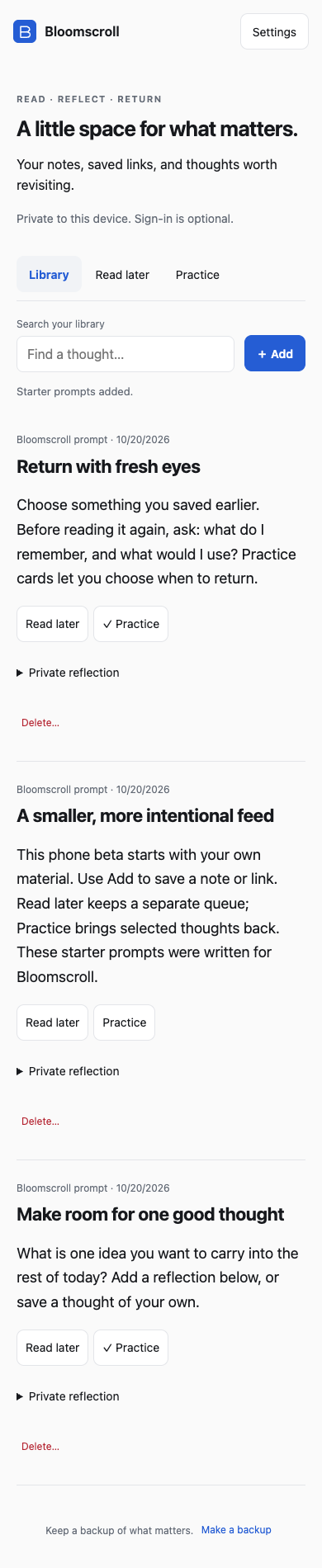
Add a note, a link, or both. Give things you want to read a place in your Read later queue.
A passage. An idea. A question.
 Bloomscroll Phone beta
READ. REFLECT. RETURN.
A quieter place for your notes, saved links, and ideas worth coming back to.
Save something that moves you. Give it a little thought. Let it become something you remember.
Open in your browser. No account required.
A DIFFERENT KIND OF RETURN
Add a note, a link, or both. Give things you want to read a place in your Read later queue.
Leave a private reflection beside an entry. What stayed with you? What would you like to try?
Include a thought in Practice. Reveal it, then choose when to revisit it with Again, Good, or Easy.
YOUR LIBRARY. YOUR CHOICE.
Begin with a library stored on your device. Sign-in is optional. Connect a cloud library with your Ideaflow account when you want your saved thoughts across devices.
Cloud sync requires an explicit connection. Your local library is uploaded only if you choose to add it. Export backups of anything valuable.
Read the privacy detailsA LINK IS ALL YOU NEED
Try it in your browser, or add the web app to your phone.
For offline use, open the app online, go to Settings, and wait for Ready for offline use. Saved notes stay available offline; original links need a connection.
BEFORE YOU BEGIN
An early beta, with a deliberately simple starting point.
Personal notes and links, Read later, private reflections, search, spaced practice, JSON backup import/export, offline use, and optional cloud sync. Start with your own material or try the original starter prompts.
Not yet. This phone beta doesn’t connect to X or Instagram, automatically fetch articles, or download linked media. It is a smaller, independent edition and doesn’t connect to an existing Bloomscroll Next library. Get the full reader and feed setup instructions.
No. You can use a device-local library without signing in. For cross-device sync, open Settings → Sign in with Ideaflow, then Connect cloud library on each device using the same account. Adding your local library to that account is a separate choice.
Local-only entries remain in that browser’s storage. Optional cloud sync uses account access controls and encryption in transit; it is not end-to-end encrypted. Browser storage can be cleared, and cloud deletions sync to connected devices, so export a backup of anything important. Read privacy and support details.
Use the web app today. An iOS project exists, but TestFlight distribution is deferred and there is no App Store release to download.
START WITH ONE GOOD THOUGHT
Your notes. Your links. Your own pace.